








































You are looking at the documentation of a prior release. To read the documentation of the latest release, please
visit here.
Managing Tokens
Manage your access and NATS tokens to securely connect external applications and services to your account.
Access and Overview
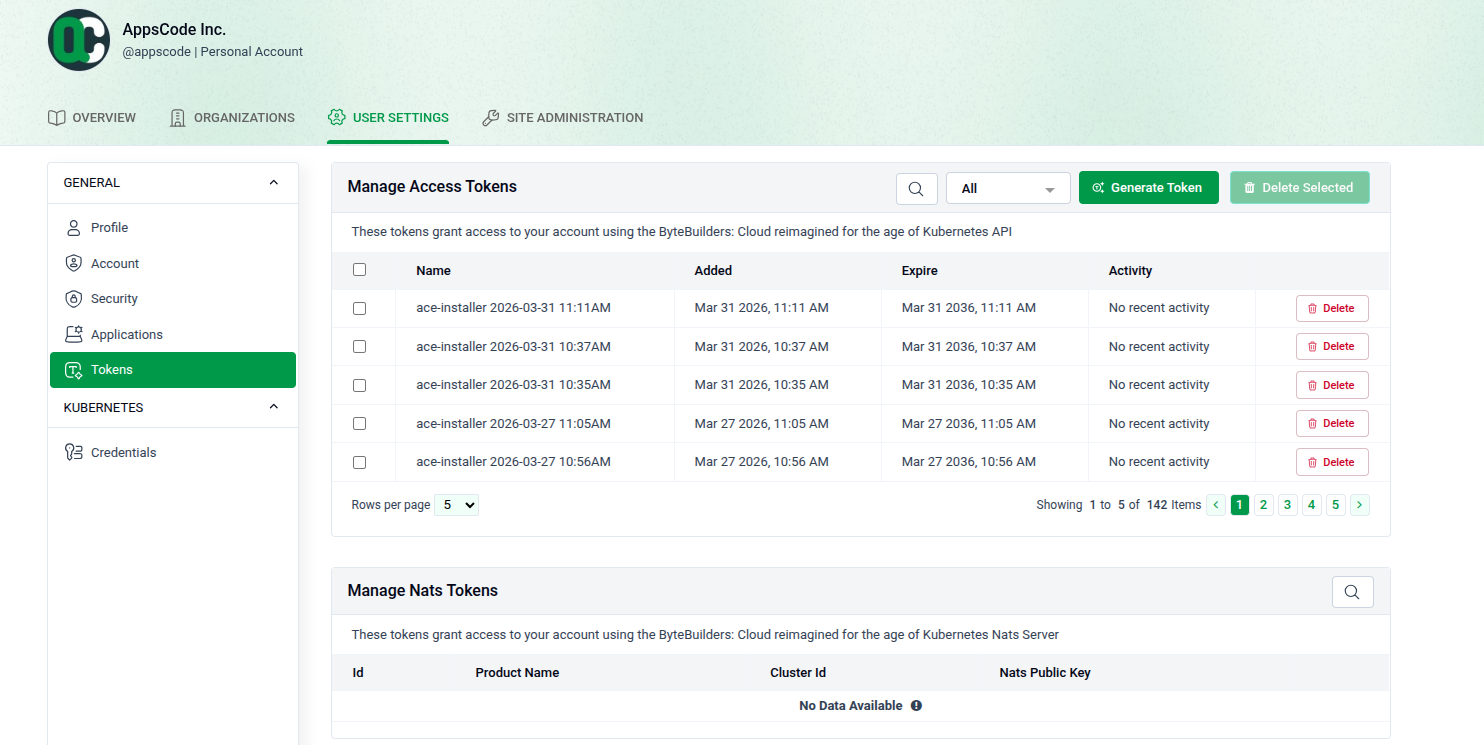
Go to USER SETTINGS > Tokens to manage your credentials.
- Manage Access Tokens: View existing tokens, their expiration dates, and recent activity.
- Actions: Use the search bar to find tokens or click Delete to remove them.
- NATS Tokens: Located at the bottom, these manage UI features and AppsCode licenses.
Generate a New Access Token
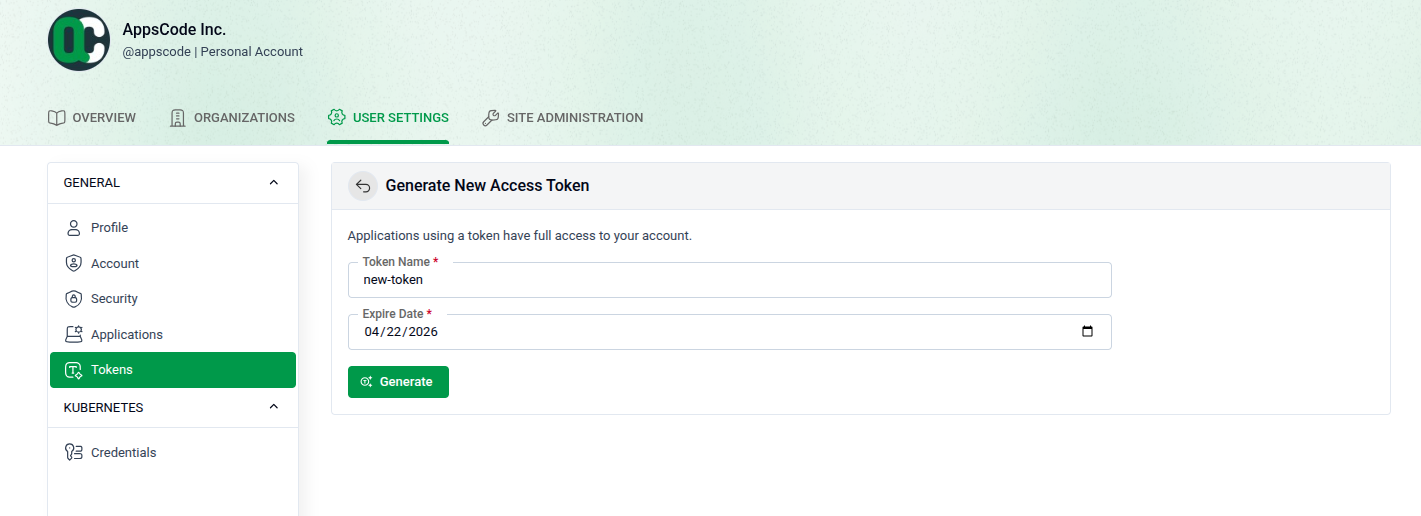
Click Generate Token to create a new credential.
- Name: Give your token a descriptive label.
- Expiration: Select an Expire Date using the calendar icon.
- Generate: Click the green Generate button.
- Note: Tokens grant full access to your account.
Secure Your Token
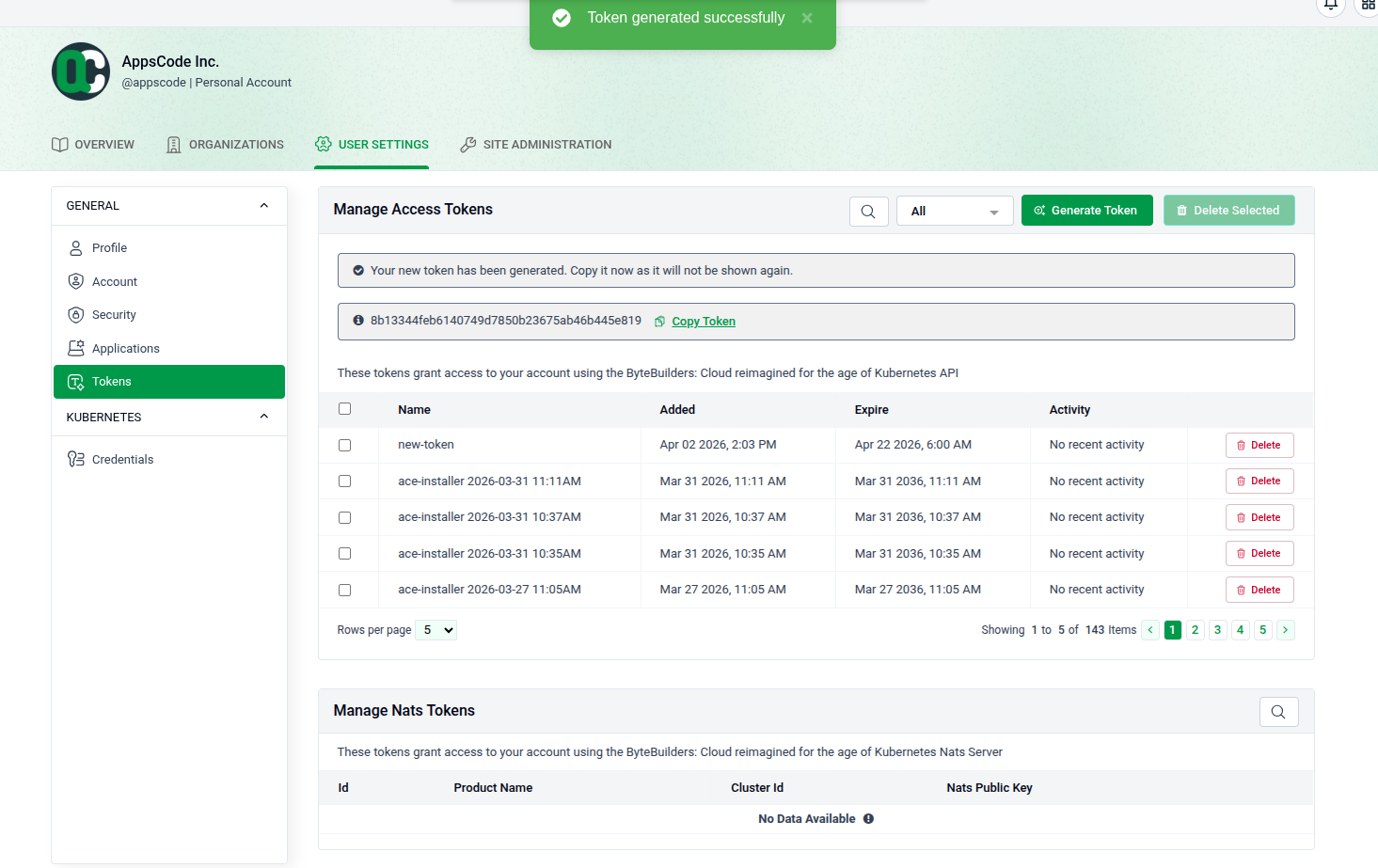
A success banner will confirm the token is created.
- ⚠️ Copy Immediately: Use the Copy Token link to save your credential now.
- Privacy: For security, the token string will never be shown again after you leave this page