








































You are looking at the documentation of a prior release. To read the documentation of the latest release, please
visit here.
Managing Organizations
Manage your collaborations and organizational structure via the ORGANIZATIONS tab in the top navigation menu.
1. Viewing & Managing Organizations
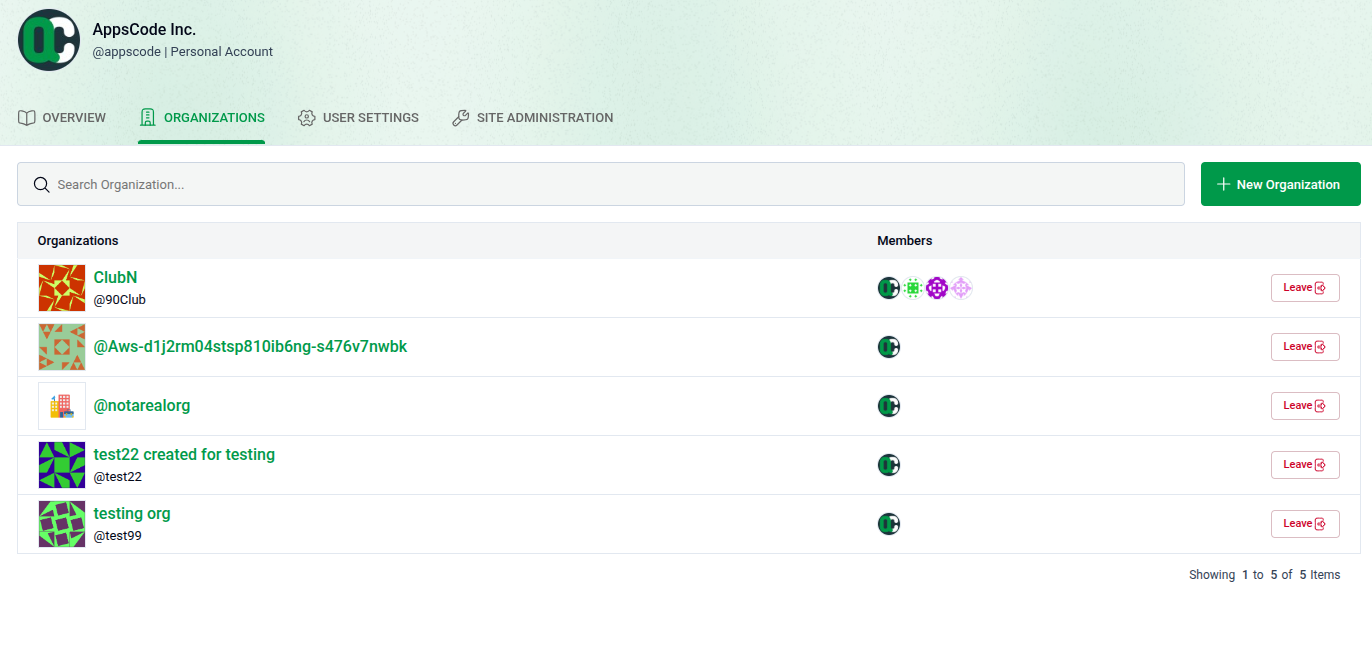
The main list displays all organizations you belong to as a creator or member.
- Search & View: Use the search bar to find groups and click their names to visit their profiles.
- Leave: Click the Leave button to remove yourself from an organization immediately.
2. Creating a New Organization
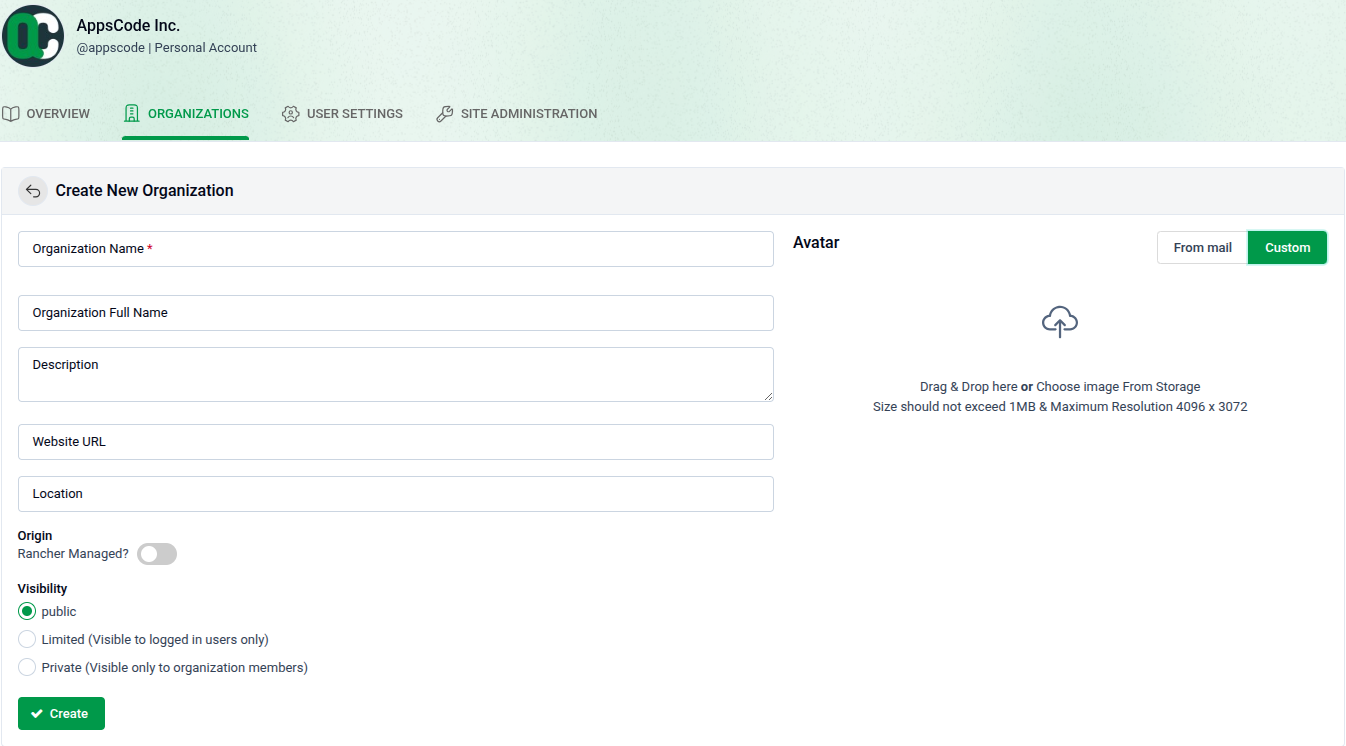
Click + New Organization to establish a new group.
- Details: Provide a required Organization Name, plus an optional full name, description, website, and location.
- Visibility: Choose who can see your organization: Public, Limited (logged-in users only), or Private (members only).
- Origin: Toggle Rancher Managed? if the organization is managed through Rancher.
- Avatar: Set a profile image using a Gravatar email or by uploading a custom image (Max: 1MB, 4096 x 3072 resolution).
- Finalize: Click the green Create button to finish.