








































You are looking at the documentation of a prior release. To read the documentation of the latest release, please
visit here.
Managing Organizations
Site administrators can view all organizations on the platform and create new ones from the Organizations section.
1. View All Organizations
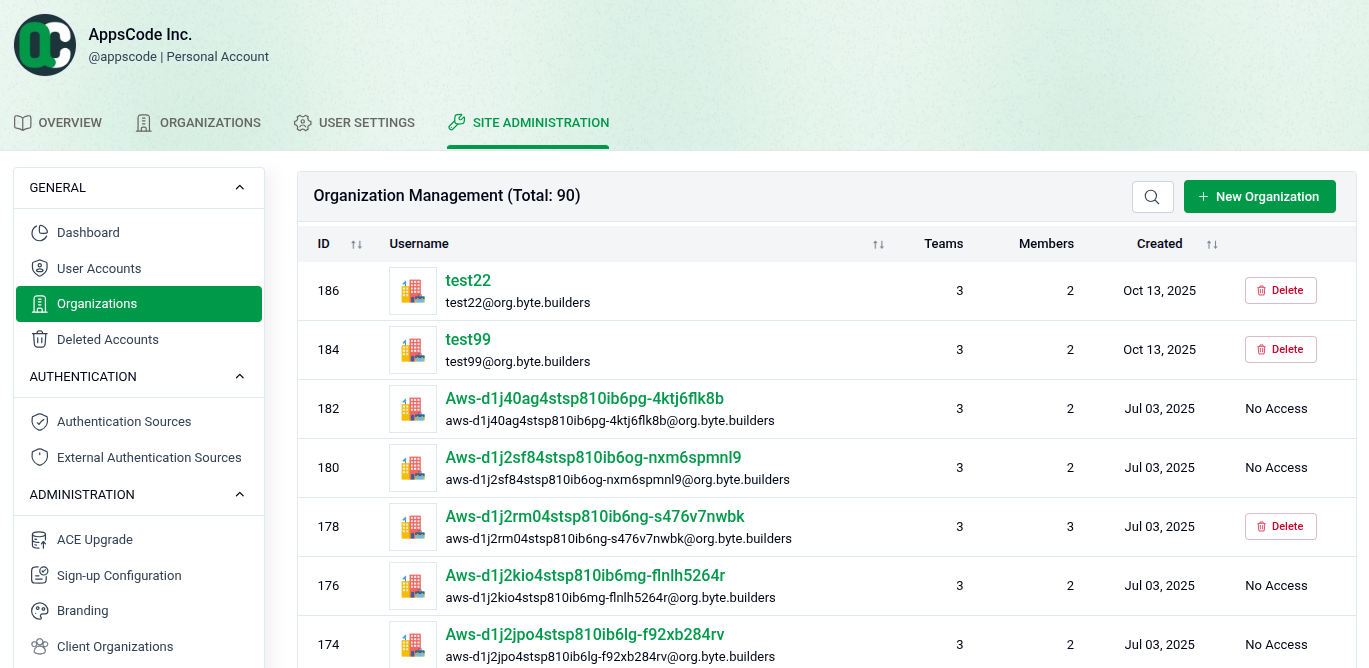
Go to SITE ADMINISTRATION > Organizations to see the full list of organizations.
- Total Count: The page header shows the total number of organizations (e.g., Total: 90).
- Organization Details: Each row shows the ID, username, number of teams, number of members, and creation date.
- Actions: Each organization has a Delete button to remove it and a No Access button to restrict access.
- Create: Click + New Organization in the top right to add a new organization.
2. Create a New Organization
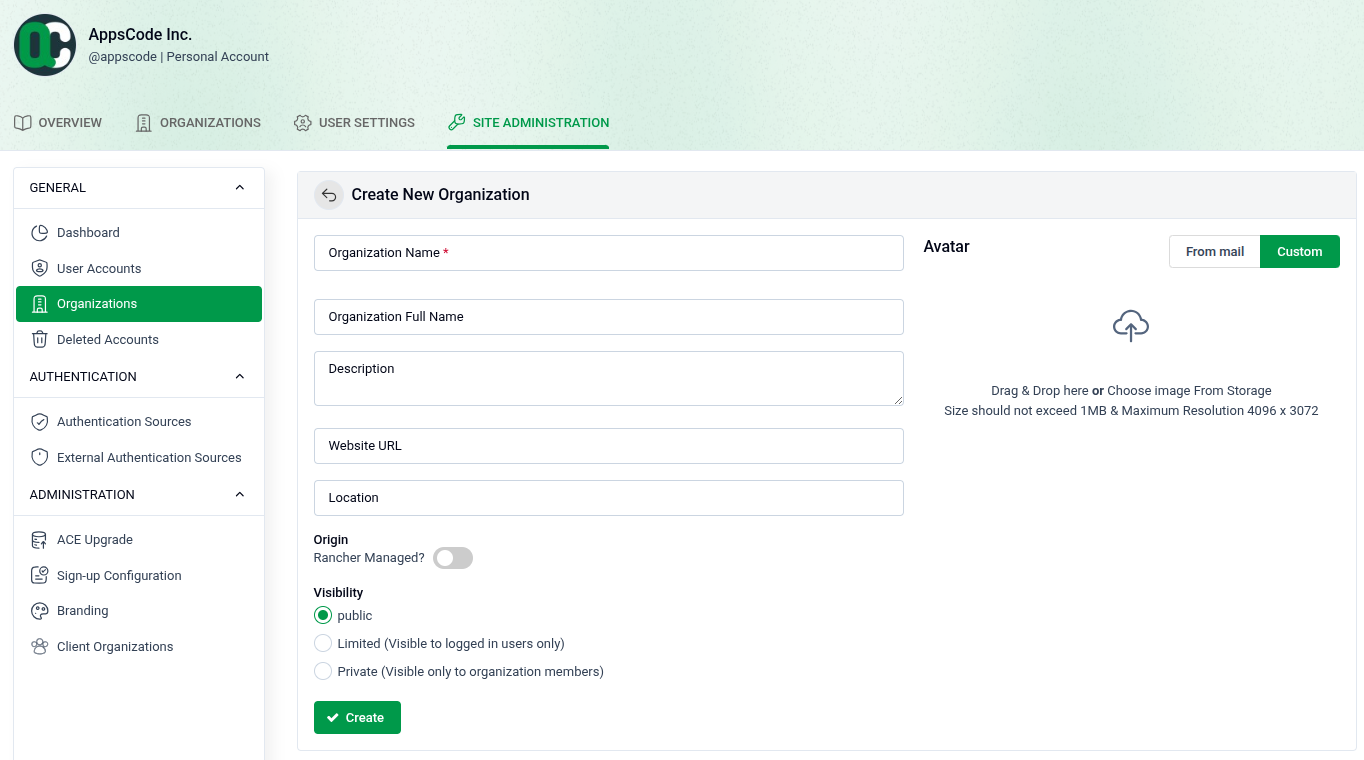
Click + New Organization to open the creation form.
- Organization Name: Enter a unique name (required).
- Organization Full Name: Optionally provide a display name.
- Description: Add a brief description of the organization.
- Website URL: Optionally link a website.
- Location: Optionally specify a location.
- Origin: Toggle Rancher Managed? if the organization is managed through Rancher.
- Visibility: Choose Public, Limited (logged-in users only), or Private (members only).
- Avatar: Upload a profile image from storage (Max: 1MB, 4096 x 3072 resolution).
- Create: Click + Create to finish.