








































You are looking at the documentation of a prior release. To read the documentation of the latest release, please
visit here.
Architecture
Let’s first discuss some basic terminologies, those will be repeated many times throughout the whole docs. The below picture will help in describing the terminologies:
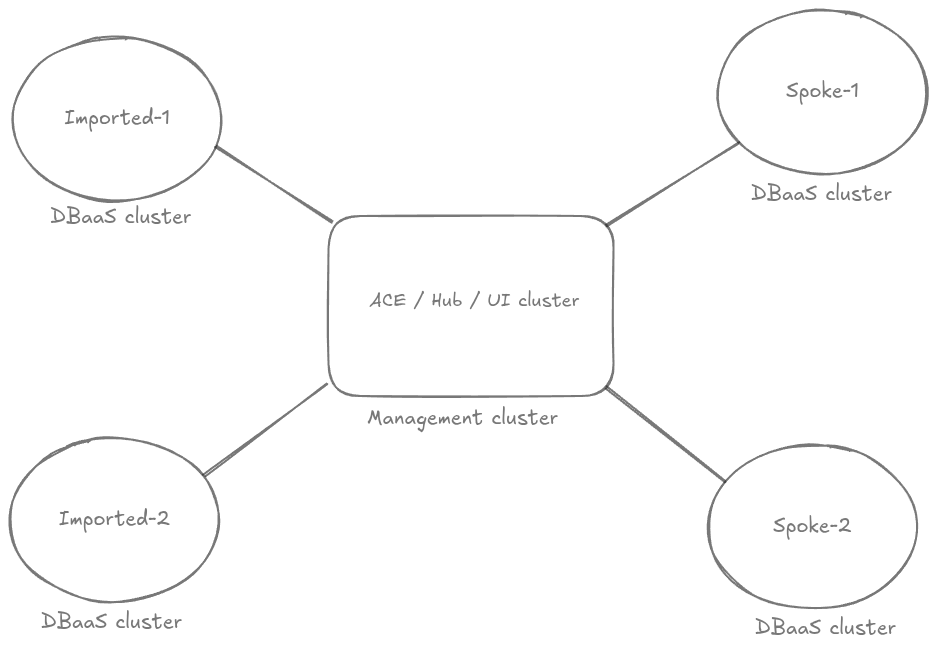
KubeDB Platform
KubeDB Platform is the central management cluster where we will deploy all the ui-components. Namely the backend server(ace-platform-api), kubedb-ui, cluster-ui, billing-ui, platform-ui, grafana-ui, ingresses etc. This will be mainly used by the administrators & devops engineers.
As this is the central point of management, we call it Management cluster. As all the UI-components installed in this, we sometimes call UI cluster.
We also have native-integration of OCM hub-spoke model. This is by-default enabled. This integration enables the cluster-manager to easily do similar changes(for example: installing a feature) centrally.
KubeDB Platform is used as the hub of OCM mode. Thats why we call this Hub cluster too.
The KubeDB Platform cluster can be a single-node k3s cluster for staging or development. Or a full-fledged multi-node cluster for prod.
The installer page on the selfhost-ui on appscode.com provides instructions for quickly setting up a K3s cluster to get started immediately.
DBaaS
DBaaS cluster is the main cluster for database users. This can be of two main type: spoke cluster, general imported cluster. While importing, if someone make it a spoke, then cluster-manager-spoke features will be installed by the Hub cluster. If you don’t want to manage it from the hub, we can just import it as a general cluster. In that case, that auto-sync from hub will not happen.
Both KubeDB Platform & DBaaS clusters can be of any vendors like AWS, Azure, Google Cloud etc. It can be an on-prem cluster too.