








































Run and Manage Neo4j on Kubernetes
Provision, Upgrade, Scaling, Volume Expansion, Monitor, Backup & Restore, Security for Neo4j Databases in Kubernetes on any Public & Private Cloud
 1apiVersion: kubedb.com/v1alpha2
 2kind: Neo4j
 3metadata:
 4  name: neo4j-quickstart
 5  namespace: demo
 6spec:
 7  deletionPolicy: WipeOut
 8  replicas: 3
 9  storage:
10    accessModes:
11    - ReadWriteOnce
12    resources:
13      requests:
14        storage: 2Gi
15  version: 2026.06.0
Run and Manage Neo4j on Kubernetes
Simplify Day-2 operations with the most advanced Kubernetes-native database operator.
Why Choose KubeDB?
- Provisioning
- Version Upgrade
- Scaling
- Volume Expansion
- Backup & Restore
- Monitoring
- Security
But, running databases and stateful applications in Kubernetes has always been a challenge. And it is really difficult to Run and Manage Production-Grade Databases on Kubernetes. Every Enterprise needs a Production-Grade operator to deploy its databases and manage its life cycle on Kubernetes.
KubeDB is the leader in Kubernetes Native Database Management Solutions which simplifies and automates routine database tasks such as Provisioning, Monitoring, Upgrading, Patching, Scaling, Volume Expansion, Backup & Restore, Failure detection, and Recovery for various popular databases on private and public clouds. KubeDB developed the first-ever Production-Grade Kubernetes operator for Neo4j to manage its Day-2 operations. KubeDB is a managed DBaaS that allows developers to run their databases alongside the respective application. You can simply deploy a Neo4j graph database on Kubernetes and manage its Day-2 operations via KubeDB Neo4j Operator.
Everything you need to run Neo4j on Kubernetes
Production-grade tooling for the entire lifecycle of your Neo4j databases.
Provisioning
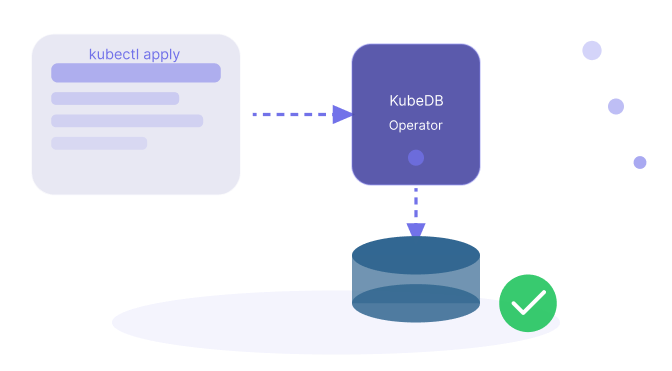
If you can run Kubernetes, you can simply provision Neo4j graph databases using KubeDB. You don't need to worry about all of the knowledge of Kubernetes Concept, Helm, and Neo4j server side setup. KubeDB simplifies the whole process for you. You just have to use standard Kubernetes CLI and API to provision Neo4j databases.
Version Upgrade
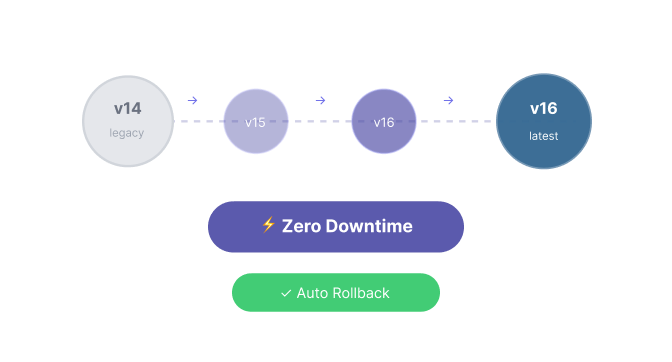
Upgrading the database version in Kubernetes is complicated. Upgrade operation should follow a specific order. KubeDB allows you to upgrade your running Neo4j database version without any downtime. You can upgrade your database to any major or minor update of the Neo4j version.
Scaling
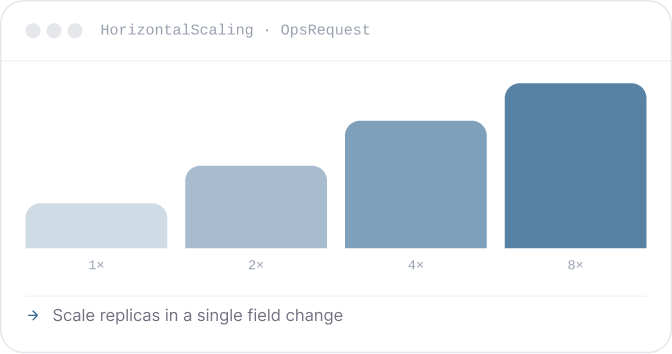
To improve your database performance you have to make sure that your database is scalable. KubeDB offers both Vertical and Horizontal Scaling of Neo4j databases in Kubernetes. You can simply scale your Neo4j cluster in Kubernetes using KubeDB.
Volume Expansion
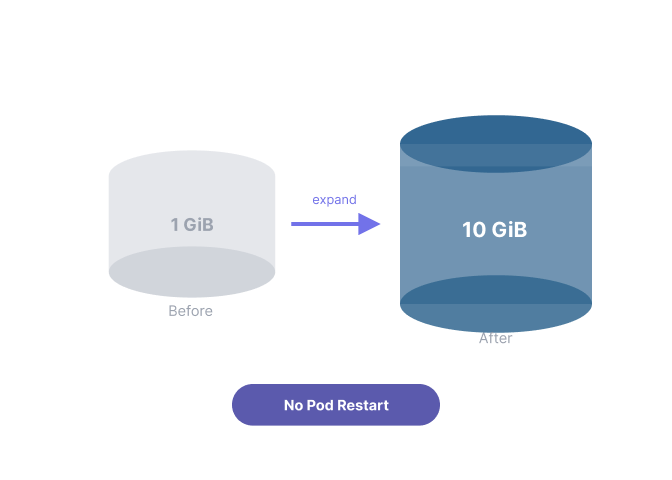
Having options of increasing database volume ensures your database high availability and performance. You can expand your storage capacity of Neo4j Database in Kubernetes by using KubeDB.
Backup & Restore
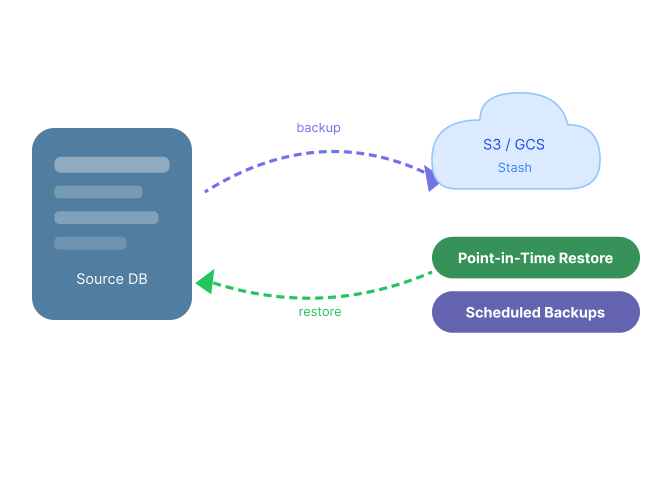
To protect your database from any kind of accidental data loss, you will need a disaster recovery solution for your database. KubeDB offers you to Backup & Restore your Neo4j Database in Kubernetes via Stash. Stash is seemingly integrated with KubeDB. You can automate this feature to backup your Neo4j database in Kubernetes by using Stash.
Monitoring
KubeDB comes with native support for monitoring via Prometheus. You can use builtin Prometheus scrapper or CoreOS Prometheus Operator to monitor your Neo4j database in Kubernetes. You can use the Grafana to view key operational metrics, including compute/memory/storage capacity utilization, I/O activity, and instance connections.

Security
To secure a database your data needs to go through a cryptographic protocol that provides end-to-end security of the data transmission over the network. You can secure your Neo4j Database with TLS using KubeDB. Also, KubeDB allows you to use encrypted storage for your databases using keys you manage through your cloud provider's key management service.

Ready to Modernize Your
Neo4j Management?
Join thousands of teams running production-grade databases on Kubernetes with KubeDB.
Production-grade reliability Automated lifecycle management Multi-cloud database portability